Uploading Files from NetBeans
If you are developing locally in NetBeans, then you are using a Web Project.
This is an abstraction of a web application. The Tomcat server on
ocelot needs the files to be placed in a standard web application.
Copying the files individually from the Web Project to the web application
is tedious and error prone. This process is automated in NetBeans.
-
Open the
Files tab in NetBeans.
-
Right-click the project name, choose
Properties and select
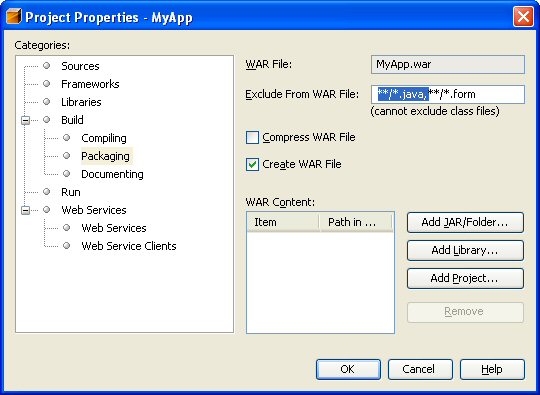
Packaging Project option, and remove the filter for
**/java.*. This step only needs to be done once per project.
-
Select OK.
-
From the
Build menu, select Build Main Project.
-
Open the
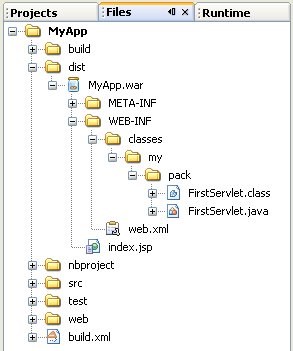
dist folder in the Files tab. You should
see the war file for your project.
Uploading and Deploying the WAR file
Everytime you build the main project, this war file is created. It
contains all the files in your applcation: .jar, .java, and
.class.
-
Be sure that you have the command
umask 072 in your .cshrc file, so that all files and directories
will be created with the correct permissions when the WAR file is expanded.
-
Upload this file to ocelot and place it in your cgs4854 directory. Do not use the
manager to upload the file. In order to use the manager to upload, you must make the
webapps directory world writable :-<
-
Change to the cgs4854 folder and
issue the following command to unpack the WAR file. Replace app-name with the name
of the web application.
unzip app-name.war -d webapps/app-name
-
Tomcat will start this webapp. If it doesn't, then open the manager and start it.